
A Trails RG product
Android
Know what your vehicle really costs.
VahanLog records fuel, mileage, and running cost on your phone. One vehicle is free. Premium adds more. The Android test is open to people who ask to join.
What VahanLog does
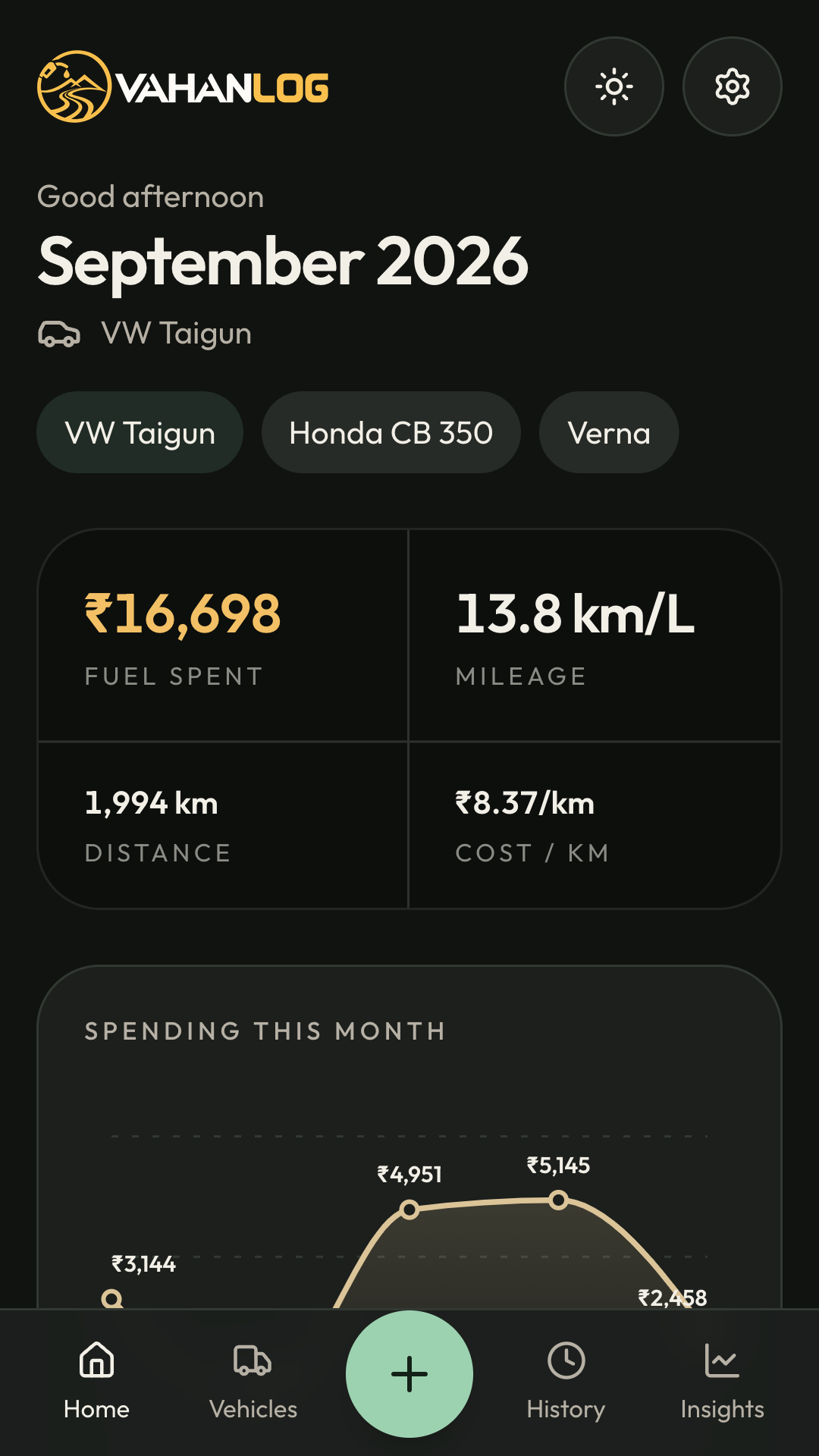
This month
- Pick a vehicle and see fuel spent, mileage, distance, and cost per kilometre for the month.
- The chart plots each fill-up, with the lowest, highest, and average.
- Mileage and cost per kilometre run from one full tank to the next, and stay blank until that reading exists.
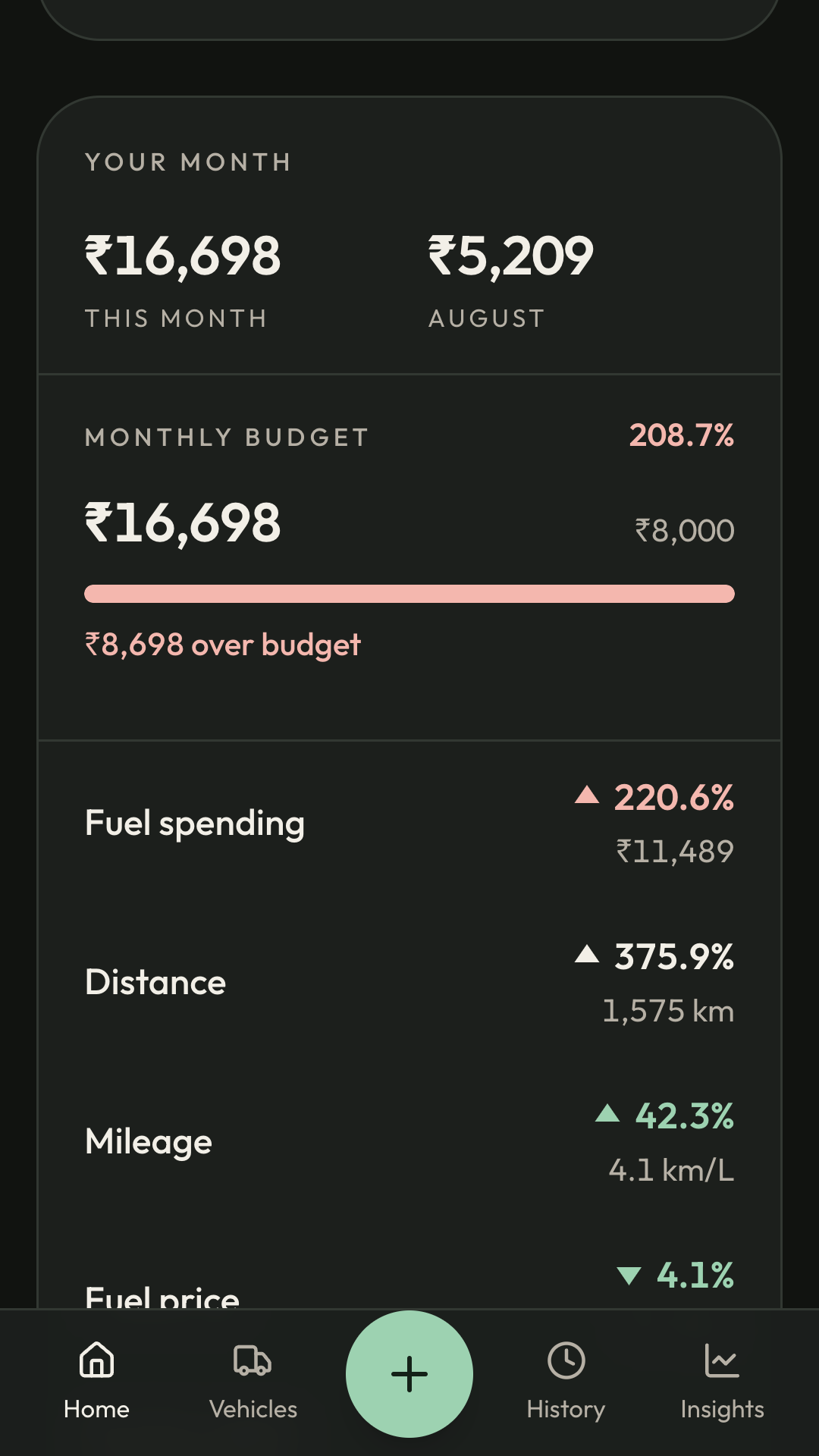
Compared with last month
- Fuel spending, distance, mileage, and fuel price each show the change from the previous month.
- A higher spend or price is red. A lower spend or price is green. Better mileage is green, and worse mileage is red. Distance stays plain.
- Set a monthly fuel budget on the vehicle. The bar shows how much of it this month has used, what is left, or how far it is over.
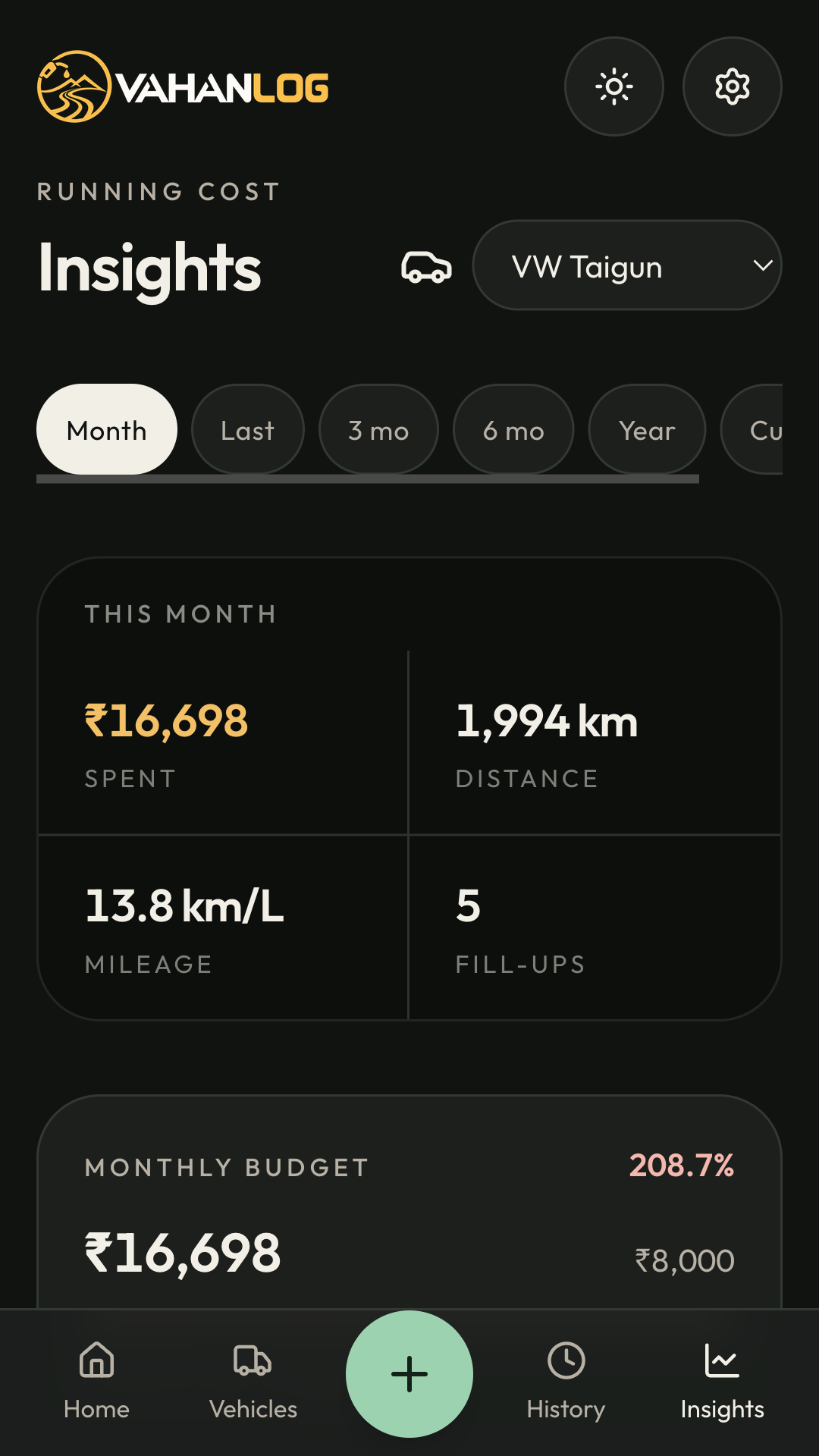
Insights
- Read one month, the last month, three months, six months, or the year.
- The year view sets this year beside the same dates last year.
- On a range longer than one month, the budget bar uses this calendar month’s spend.
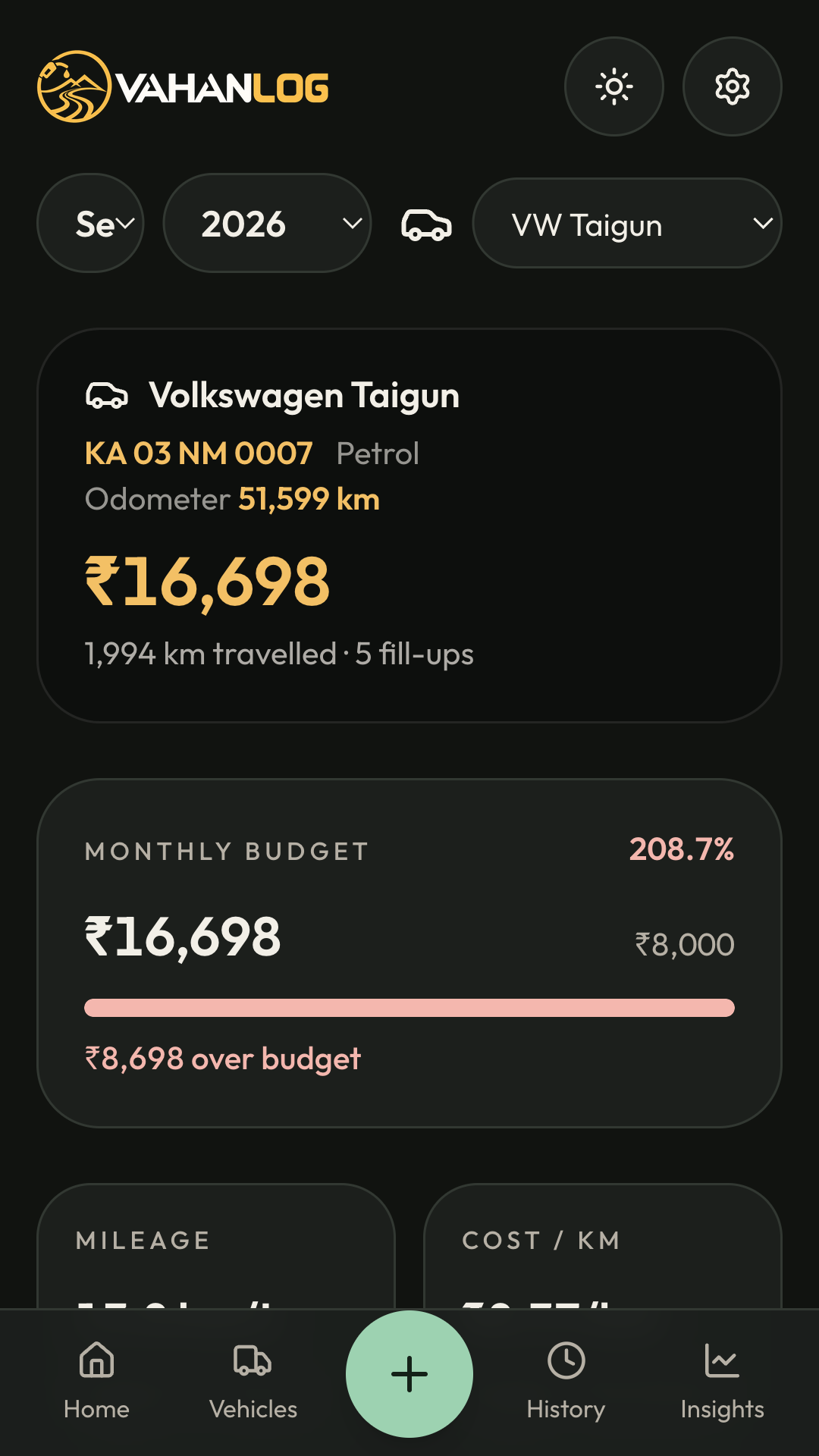
Monthly report
- Open any month for one vehicle, or for every vehicle you keep.
- The report shows that month’s spend, distance, fill-ups, mileage, cost per kilometre, and the budget.
- Export the report as a PDF to keep or share.
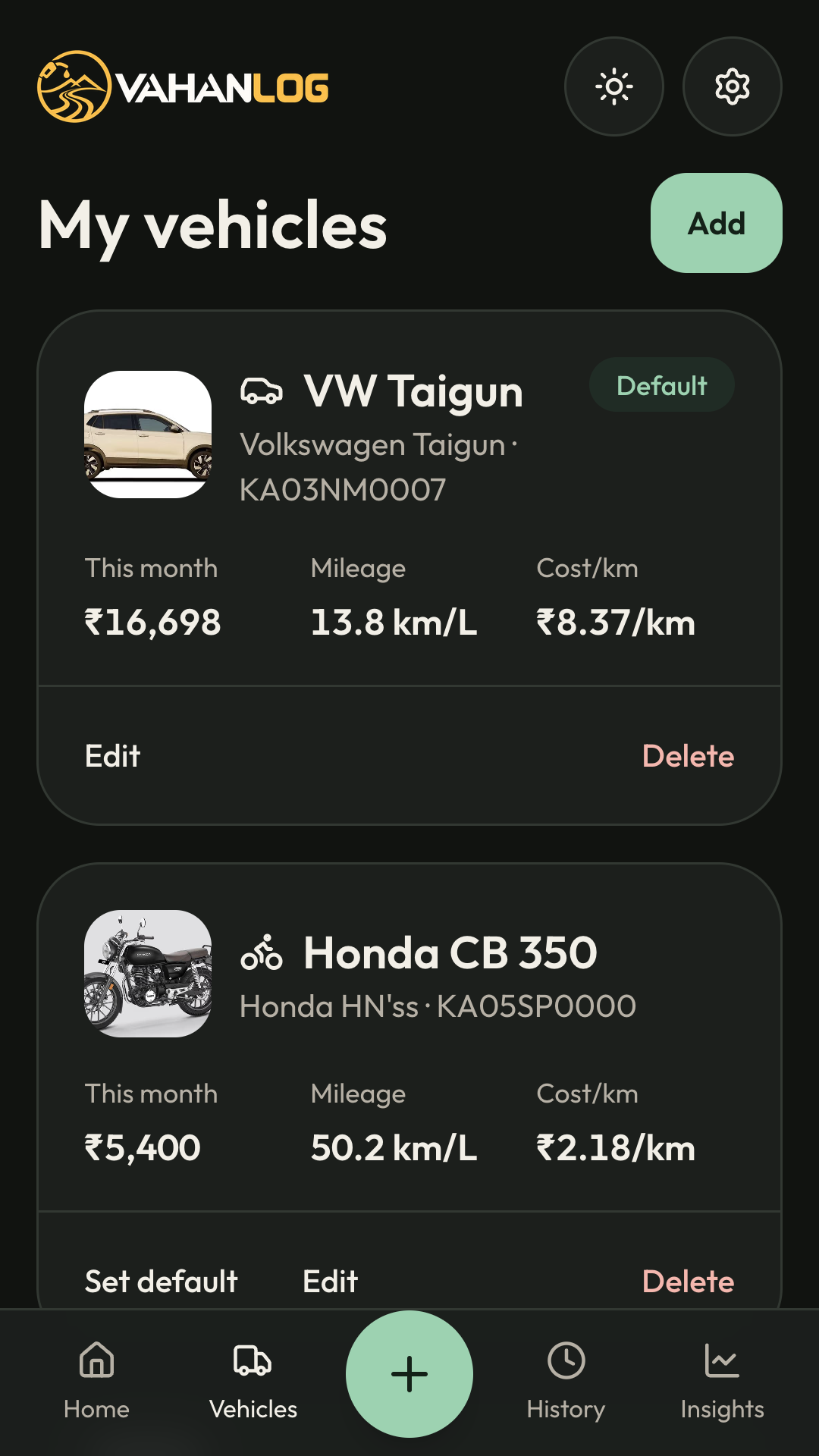
Every vehicle
- Each car or motorcycle has its own name, registration, make, model, fuel type, and photo.
- The card shows this month’s spend, mileage, and cost per kilometre.
- One vehicle is free. Premium, bought in the Android app through Google Play, unlocks more vehicles. Vehicles already saved stay if Premium ends.
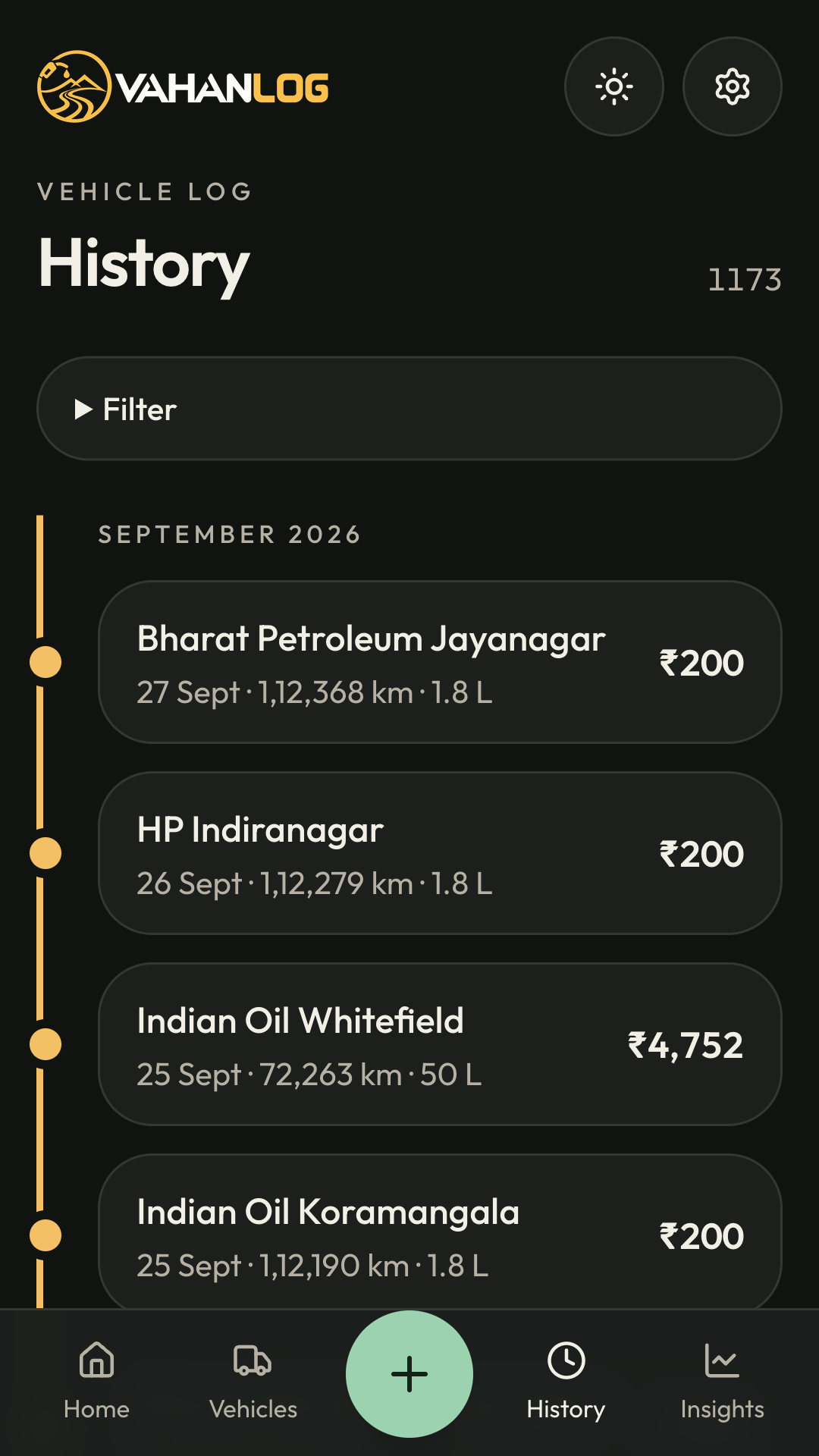
Fill-up history
- Log the date, station, odometer, litres, and price, and mark whether the tank was filled. VahanLog works out the amount.
- A photo of the bill can sit with the entry.
- Filter by vehicle, dates, or fuel type. Export the history as CSV, or import a spreadsheet you already keep.
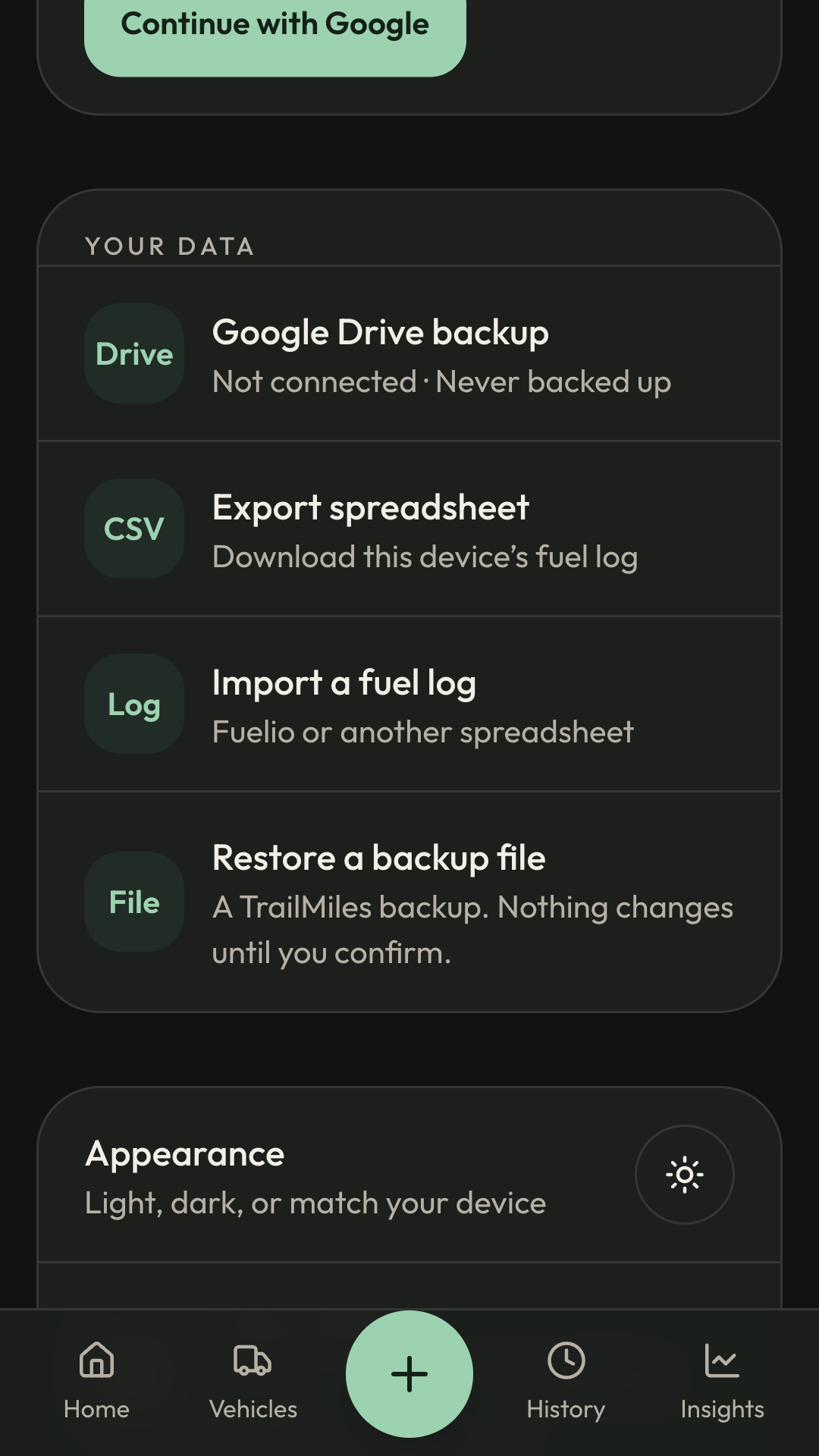
Backup and restore
- A backup is stored in a folder in your own Google Drive. VahanLog can only see the files it creates there.
- Vehicles, fill-ups, bill photos, and the monthly budget travel with the backup. A passphrase is optional, and backup can be off, daily, or weekly.
- Restore from Google Drive or from a backup file. Nothing on the phone changes until you confirm.
Where your data lives
- On your device. Vehicles, fuel entries, and calculations stay in a local database.
- Google, for identity. Continue with Google does not create a Trails RG account and does not upload your fuel history.
- Your Drive, for backup. When you connect Google Drive, VahanLog stores a backup in a folder you own.
Read the VahanLog privacy policy →
One vehicle free
- Free. One vehicle, with fuel entries, history, mileage, insights, papers, service records, CSV export, and Google Drive backup.
- Premium. A monthly subscription in the Android app, paid through Google Play, unlocks more vehicles.
- If it ends. Vehicles and fuel history already on the phone stay. Adding another vehicle is what needs Premium.
Android test
Leave the Google account you use on your Android phone. Trails RG adds that address to the closed test and replies with the install link. The address is used only for that invite.